Keep chat history updated
Keep selected chat history current after closing Hub.
A manual save is useful, but new replies arrive later. Enable one background updater for the native stores you choose, then check when each source was last read successfully.
Background capture runs locally. Starting at sign-in is a separate reviewed setting.
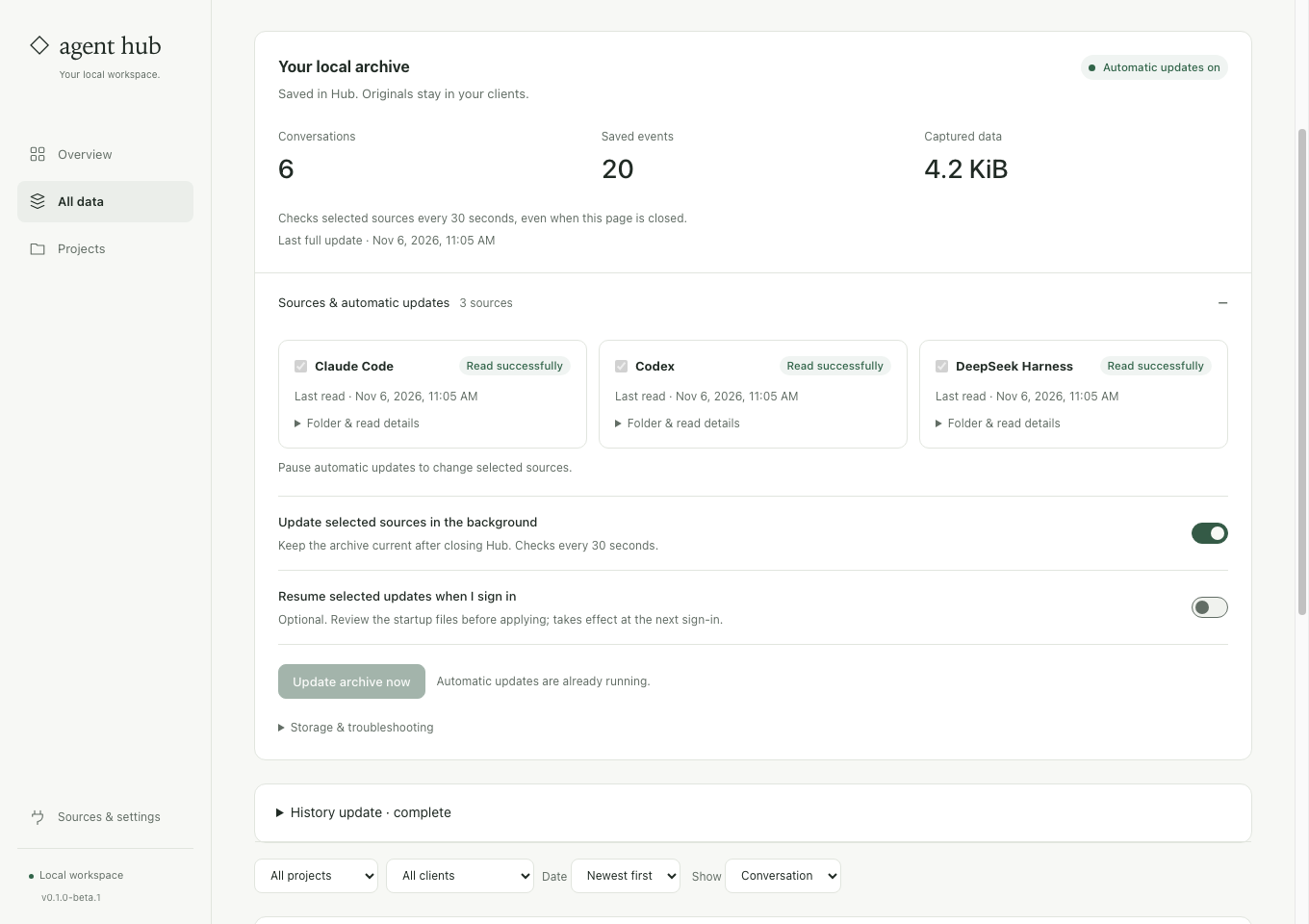
See what runs and when it last worked.
A saved source selection
The worker reads the supported stores you enabled. It does not silently broaden that selection to every account, project or client directory.
Updates after the interface closes
Background capture checks the saved selection every 30 seconds and can continue after the page and Hub UI server close. This is separate from a foreground memory watcher.
Visible failures and retries
Inspect last checked and last complete reads. An unavailable source can be retried while its previously preserved chats remain available.
Enable updates, then verify a later message.
Choose and capture sources
Open Chats → Sources & automatic updates. Select supported stores, save their history and review coverage before enabling continued capture.
Enable background updates
Turn on Update selected sources in the background. Add a later message in a selected native client, then check that a subsequent successful capture includes it.
Decide about sign-in startup
Review Resume selected updates when I sign in if you want that behavior. It installs a user-level startup definition on supported macOS or Linux systems; check actual activation after sign-in.
Before you start
Does closing the browser stop background capture?
The detached background updater can continue after the browser and UI server close. A normal foreground watcher has a different lifecycle; inspect which mode is enabled.
Does it run through shutdown or guarantee instant saves?
No. The machine must be running, new events wait for a successful scan, and login startup is separately configured. Configuration presence alone is not proof that the next OS sign-in started it.
Verify one update after the interface closes.
The preservation guide explains the selected-source worker, login startup, stop controls and storage coverage.
See the steps ↗