Keep a local chat backup
Keep a copy of the conversations behind your work.
A useful answer can disappear from view when you switch clients or clean up old sessions. Save supported local conversations into Hub so you can inspect the copy and its original events later.
The archive stays on this computer. Native history files stay in place.
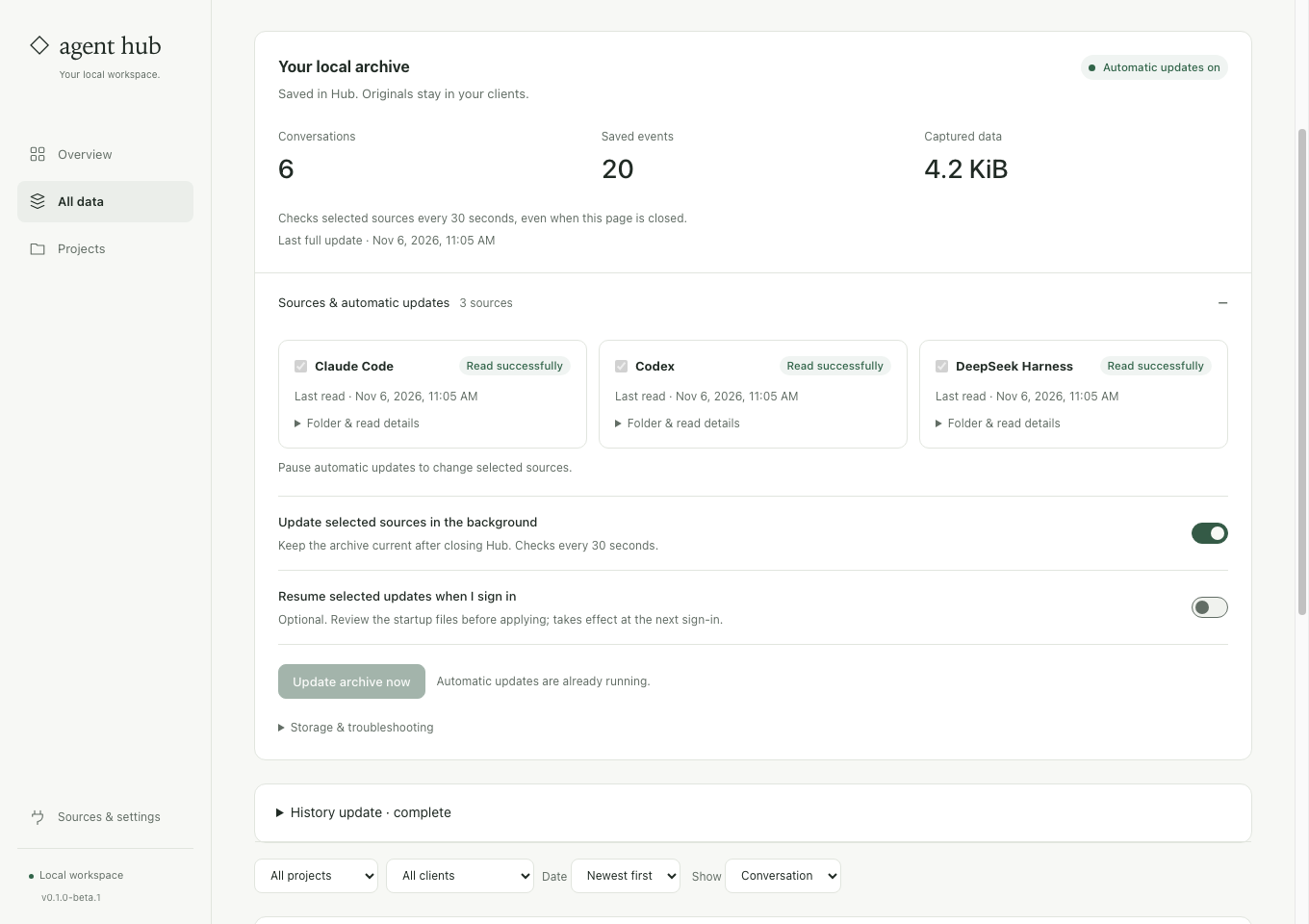
Know what you have actually saved.
Preserved source bytes
Hub keeps the supported source it read, alongside a searchable projection. You can inspect native events instead of relying only on a title or summary.
Earlier captured versions
Later captures can retain earlier revisions. A missing original does not automatically erase a conversation already saved in Hub.
Visible coverage
Review source-read results and attachment warnings separately. Complete event coverage does not mean every referenced image or document was copied.
Start with one source you can check.
Select a local history store
Open All data → Chats → Sources & automatic updates. Choose a supported Claude Code, Codex or DeepSeek Harness store.
Save and inspect
Save chats to Hub, open a familiar conversation and compare a message with its original event. Check the source status and preserved version.
Protect the archive itself
Include Hub and its private recovery data in your normal device backup. A second copy on the same disk does not protect against disk failure.
Before you start
Can Hub recover chats already deleted from the client?
Only data available to a successful capture can be preserved. Hub cannot reconstruct a conversation it never read.
Is the archive encrypted or uploaded?
Archive data is stored locally with restricted permissions, without archive encryption. Basic usage events are on by default and can be disabled; they exclude chat text. Use your own private backup for device recovery.
Check one saved conversation before relying on the archive.
The preservation guide explains source coverage, attachments, versions and the difference between a local archive and a computer backup.
See the steps ↗